Developer guide
The drawing register
src/drawreg reads a site's drawings and documents, converts them, makes them searchable, reads their title blocks,
summarises them, matches their equipment tags to the EAM asset register, and writes the register. It is a package and a
command line of its own (drawreg); in the app it is the Drawing register native plugin, which runs its steps as jobs.
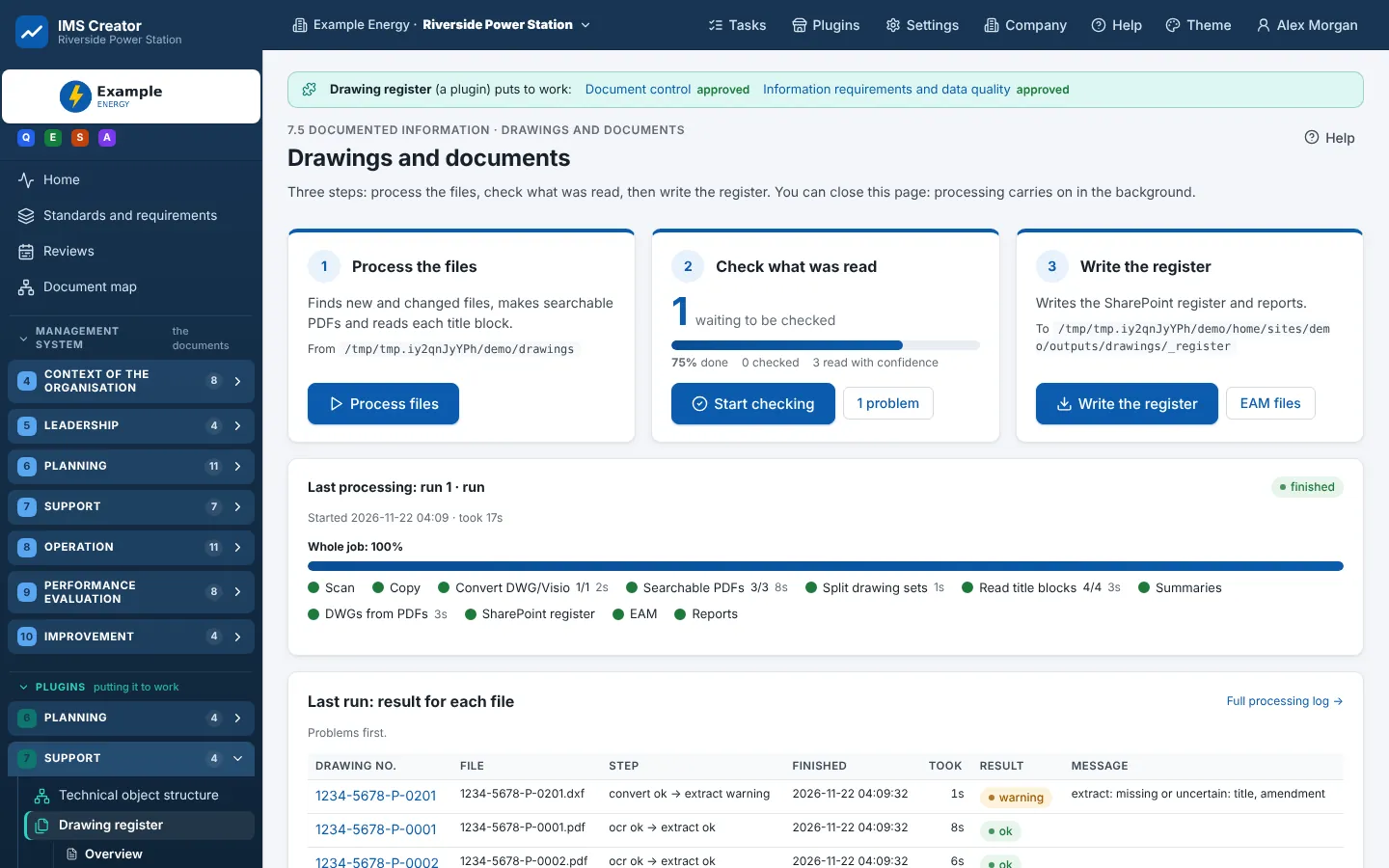
The pipeline
drawreg run runs them in order; each is also a command of its own (drawreg convert, drawreg extract ...), and
drawreg rerun runs chosen files again from a step (convert, extract, claude, summary). The register's database
(register.db, or a Postgres database) keeps each file's state, so a run picks up where the last stopped and only
new or changed files are worked.
The packages
| Module | What |
|---|---|
config.py |
drawings.yaml: the source and output folders, tools, OCR, Claude, naming, folders (config.example.yaml documents every key) |
inventory.py, survey.py, sourcetype.py |
What is in the source folder, and what each file is (DWG, DXF, Visio, PDF with text, scanned PDF ...) |
convert/ |
dwg.py (ODA File Converter, then ezdxf's drawing add-on to PDF with outline text), xrefs.py, visio.py, textlayer.py, pdf2dwg.py |
ocr.py |
Searchable PDFs: Tesseract over tiles of each sheet (2400 px, overlapping), the text laid over the image |
split.py |
Drawing sets and multi-drawing scans cut into one document each |
extract/ |
titleblock.py (fields from the title block, each with its source and confidence), templates/ (title-block layouts), words.py (lines from words), parse.py, normalise.py, tagscan.py (equipment tags), tables.py (amendment tables), regionocr.py, claude.py (the fallback), handwriting.py |
claudeclient.py |
Calls to Claude, with their cost recorded per file |
register.py, packages.py, placement.py |
The register, the library's folders, xref packages |
eam/ |
load.py (the EAM export), keys.py (tag keys, split tags put back together), match.py, structure.py (the technical object structure from EAM and the drawings), export.py (EAM import files) |
api.py |
The app's API for the drawing pages |
runner.py, stages.py, workers.py, procs.py |
Running the steps, in parallel, with time limits; a converter that hangs is stopped |
Reading a title block
Each field (drawing number, title, amendment, date, status, unit, discipline, drawn, checked, approved ...) is read from every source there is and kept with its source and confidence:
A template (extract/templates/*.yaml, or a site's own folder: templates in drawings.yaml) names where each
field sits in a title-block layout; the reader finds the layout that fits the sheet. A person's correction wins over every
later reading.
EAM matching
Tags found on the sheets (instrument and equipment tags; a tag split across lines is put back together) are matched to
the EAM export's assets (eam/match.py):
- the assets with the same key (
LIT-15-02isLIT-1502), else the same loose key; - of those, the ones in the drawing's unit (when the drawing names its unit; a drawing for two units gives one item per unit);
- if several are left: those in systems already matched on the same drawing, then those in the systems EAM uses for the tag's system code;
- one left: matched; several: ambiguous, for review; none: a new-asset proposal.
Matches, ambiguities and proposed new assets are listed on EAM equipment for people to decide; the decisions are kept. The technical object structure is built from EAM and the drawings together (Technical object structure).
Testing it
The test drawings are made up: tests/fixtures/make_fixtures.py draws three P&ID legend sheets (A1, with a title block,
an amendment table, symbols and notes), plots them to PDF, makes their searchable copies, and writes a made-up EAM
export. The tests check the known answers: each sheet's number, title, amendment and its date, the template found, the
sheet size, and the tags matched.
python tests/fixtures/make_fixtures.py     # only when the fixtures are to change
python -m pytest -q tests/test_phase2.py tests/test_convert.py tests/test_pipeline.py
See also
- Drawings overview (the user's view) · Checking a document · Testing, docs and release